
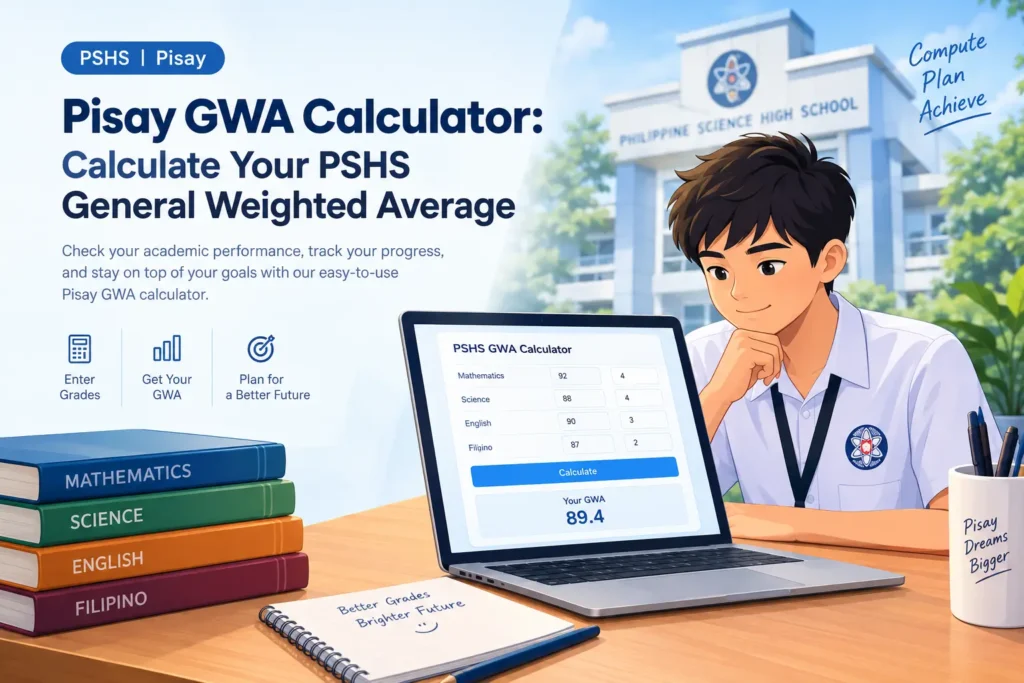
The Pisay GWA Calculator helps Philippine Science High School students (PSHS) calculate their subject grades, allowing them to determine their General Weighted Average (GWA). It helps students track their academic performance—including grade calculations and progress over time—enabling them to gain a clear understanding of the grading in their subjects.
GWA Calculator
Enter your subjects, units, and grades — then click Calculate GWA for your instant result.
Subject Information
Enter your subjects, units, and grades.
Your GWA Result
Based on Philippine university grading system
General Weighted Average
—
Academic Standing
—Total Units
—
Subjects
—
US GPA (~)
—
Grade Breakdown
| Subject | Grade | Units | Grade × Units |
|---|
Students can enter their accurate information to calculate their PSHS grading rules, enabling them to obtain a GWA for the relevant school term. This is important because the official PSHS curriculum. With the help of this guide, students can thoroughly understand the calculation process, thereby avoiding common errors and feeling confident about their grading results.
What Is a Pisay GWA Calculator?
The Pisay GWA calculator is an online academic tool designed to help students calculate their estimated grade point average based on subject grades; it simply consolidates multiple grades into a single overall academic result.
The Philippine Science High School System offers a six-year curriculum spanning grades 7 through 12. Students study subjects such as Mathematics, Science, English, and Filipino, along with other courses depending on the specific curriculum track; these subjects carry varying academic unit values.
What Does GWA Mean at Philippine Science High School?
GWA stands for General Weighted Average; it is a numerical metric used to represent a student’s academic performance across subjects. GWA in PSHS it is part of educational institutions’ student performance and scholarship policies, promotion to the next grade, probation, and official guidelines for grading, which take GWA into account along with other academic behavior and attendance requirements.
A weighted average differs from a simple average; in a simple average, every subject is accorded equal importance, whereas in a weighted average, the specific weight assigned to each subject is taken into account. Consequently, a subject with a higher weight can exert a greater influence on the overall calculation.
For example, a student might achieve different grades in mathematics, English, science, or other subjects; combining these grades without considering their respective weights could yield a result different from that of a weighted calculation.
Who Should Use a PSHS GWA Calculator?
The PSHS GWA calculator is beneficial for students because it eliminates the need to manually calculate the grade for each subject. Students in grades 7 through 12 can use this excellent calculator to estimate their GWA. By entering their curriculum details and grades, they can not only calculate their average but also understand the impact of grades from various subjects and identify those that may require additional study.
Enter Your Subject Grades and Applicable Units:
Before preparing your latest report card, first calculate it using the calculator provided on this website so that the information you enter matches the grades you have achieved to help with the chosen classification.
Enter the grade for each included subject in the format required by the tool. Some calculators accept numerical grades, while others may be designed for percentage-based input; do not mix these formats unless the calculator explicitly supports such conversion.
If the gwa calculator college asks for subject units or weights, enter the correct value for each relevant subject. The official PSHS curriculum subject matrix provides curriculum information, including subject units and general rules for calculating units. Subject grading details may vary.
Do not enter a zero for an incomplete grade; first, consult your school’s relevant instructions, especially before the specific grading period has been finalized.
How to Calculate GWA at Philippine Science High School?
The process of calculating the Pisay GWA calculator goes far beyond simply adding up grades. It is essential for the student to clearly understand the difference between a simple average and a weighted average, identify the subjects included in the calculation, and use the correct formula.
Its proper execution involves adhering to the requirements for the relevant PSHS grades; once the correct grades and weights are accurately calculated, it becomes easier to understand and verify the computations.
Understand the Difference Between a Simple Average and a Weighted Average:
A simple average is calculated by summing all the included marks or grades and dividing the total by the number of subjects; this method assumes that each subject contributes equally to the result.
For example, if a student receives grades of 1.50, 2.00, and 2.50, the simple average is:
Simple average = (1.50 + 2.00 + 2.50) ÷ 3
Simple average = 6.00 ÷ 3 = 2.00
However, this calculation does not account for different subject weights.
A weighted average considers the relevant weight assigned to each grade. If the subject weights differ, the result may be different from the simple average.
Apply the Correct GWA Formula:
When the applicable PSHS calculation uses a unit-weighted average, the mathematical formula is:
[
\mathrm{GWA}=
\frac{\sum(\text{Grade}\times\text{Weight})}
{\sum\text{Weights}}
]
In this formula, each subject grade is multiplied by its applicable weight. The weighted contributions are added together and divided by the total of the included weights.
For example, assume a student has three subjects with grades of 1.25, 1.50, and 2.00, and illustrative weights of 1.7, 1.3, and 1.7, respectively.
The calculation would be:
- Subject A: 1.25 × 1.7 = 2.125
- Subject B: 1.50 × 1.3 = 1.950
- Subject C: 2.00 × 1.7 = 3.400
Total weighted grade = 2.125 + 1.950 + 3.400 = 7.475
Total weight = 1.7 + 1.3 + 1.7 = 4.7
Weighted average = 7.475 ÷ 4.7 ≈ 1.59
FAQS
How Do I Calculate My GWA at Pisay?
To calculate your GWA at Pisay, identify the grades and applicable subject weights required for your grading period. Apply the correct formula, or enter the information into a calculator configured for the relevant PSHS requirements. Verify the included subjects and calculation rules before treating the result as an accurate estimate.
Is a Pisay GWA Calculator Different From a Regular GWA Calculator?
It can be. A Pisay GWA calculator may provide input settings designed for relevant PSHS grading formats and subject units, while a generic calculator may require users to configure these details manually. The most important factor is whether the tool uses the correct calculation method for your academic record.
Can I Use a PSHS GWA Calculator for Grades 7 to 12?
You can use a calculator for Grades 7 through 12 if it supports the relevant grade level, subjects, curriculum, and calculation method. Course offerings and subject weights can vary, so confirm that the tool matches your particular academic requirements before relying on the result.
Does Every Subject Count Toward My PSHS GWA?
No, not every academic requirement should automatically be included. The PSHS curriculum identifies certain non-graded requirements that are excluded from GWA computation, while some other courses are graded when taken. Check the applicable subject matrix and school instructions to determine which courses belong in your calculation.
How Accurate Is an Online Pisay Grade Calculator?
An online Pisay grade calculator can produce an accurate mathematical result when the inputs, subject weights, and formula are correct. However, a calculation can still differ from the official record if the tool uses unsuitable settings or outdated rules. Treat its output as an estimate unless the tool and its underlying method have been verified for your situation.
Can My Calculated GWA Guarantee Promotion or Graduation?
No. A calculated GWA alone cannot guarantee promotion or graduation at PSHS. The school’s published guidelines include additional academic, conduct, and attendance requirements. Check the applicable official policies and your school-issued records to understand your actual academic standing.
Where Can I Verify My Official PSHS Grades?
You should verify your grades through your official academic records and the appropriate PSHS campus authorities. The official PSHS website also publishes curriculum information and guidelines relating to promotion, probation, and graduation. Consult the relevant documents when you need to confirm subject requirements or interpret your academic results.